
.svg "English")
.svg "Deutsch")
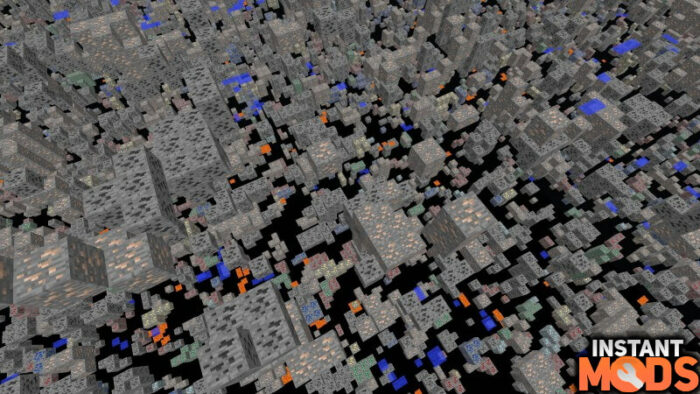
You can see through all blocks with the XRay Mod for Minecraft. However, it doesn’t add new items like other mods but gives you X-ray vision to find ores faster. In plain language, this means that useless blocks such as sand, cobblestone, and dirt are now transparent. This way you will find diamonds, netherite, iron, caves, and dungeons in a few seconds.
Basically, XRay adds more features to Minecraft that you can control via keys. Of course, you can also change the key assignments if you want to. Click on the control menu and select new keys. Normally, the configurations are saved in a text file in a subdirectory of your Minecraft folder. In this case, Advanced XRay is different from other mods, because you can select the blocks you want to make transparent directly in Minecraft. Of course, the whole thing can also be reversed and you can specify which blocks should be highlighted.
This mod works in the single-player mode without any problems, because there is no anti-cheat plugin. Nevertheless, the situation is different on protected servers, because there this modification is mostly forbidden. This has a simple reason cheating is unfair to the other players. As prevention, administrators can install a Bukkit plugin. Such a plugin generates a huge amount of textures around you and you will lose orientation very quickly. Furthermore, the log files can be checked. These files show which player has behaved conspicuously.
You will be permanently banned in the worst case. But this is especially true for larger servers because you and your friends will not use an anti-cheat plugin on your private server or realm. Accordingly, the XRay Mod is also perfect for trolling your friends by proudly showing them your hundreds of diamonds and netherite. And you can do that without being in /gamemode 1. Finally, you should be aware that you can still be banned after playing. This is because most cheaters are banned after a review.
We recommend using the XRay resource pack if you are afraid of being banned. You can always use this pack without any problems. Without question, the functions are much more limited here, because only the textures are changed and not the game code. Anyway, a big advantage is that the resource pack is also available for Minecraft PE players. This means that you can also use XRay as an MCPE player.
Best Features
This XRay mod has many good features. We list the best of them here to give you a better overview.
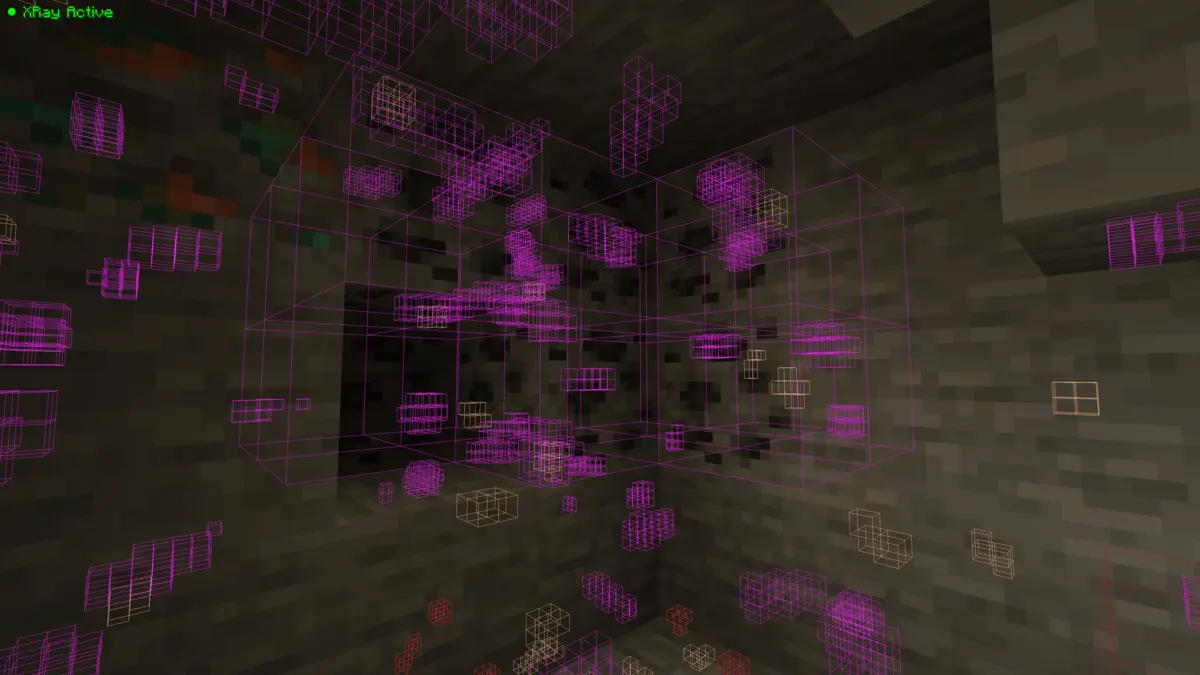
XRay: Press the X key to get a full X-ray vision in Minecraft. Almost every useless block is made invisible, which makes it very easy to discover ores. The whole thing can also be called ore finder. An exception is lava and water because these elements of your environment won’t be hidden. Otherwise, you would accidentally walk into lava or drown in an underground lake. Besides, it’s a huge advantage that you can spot any mob immediately. In the future, no creeper will surprise you and blow up your items.
Cave Finder: You activate this feature by pressing the C key on your keyboard. You can see through all blocks and can easily find dungeons and caves.
FullBright: The name already gives it away. Your entire world is displayed completely bright. More precisely, the brightness value is set to 15, which allows you to see perfectly at night. In addition, you don’t need any torches. Tip: You can use the Cave Finder to find dark caves and make them bright, so you won’t be surprised by a zombie.
Fly Mode: Usually you can only fly in creative mode, but thanks to this feature you can additionally fly through the landscapes in survival mode. Additionally, the speed can be adjusted individually.
Zoom: With this feature, you can enlarge your vision as if you were using a spyglass. As a result, you’ll be able to find the best ores even at a great distance.
How To Use XRay Mod
Getting started is a bit difficult for beginners, so we’ve written down a few tips for you. This should be enough for the beginning and with time you will surely learn how to use the mod most effectively.
- We recommend that you do not change any settings at first and then press X to turn the XRay Mod on and off.
- Press J to open the in-game GUI. Here you can adjust various settings. There you can use the checkmarks to make a block invisible, which is unchecked by default.
- You can also display your coordinates and FPS if you want to.
Finally, it’s important to mention that developers invest a lot of time just to make you happy. Therefore, it’s only fair if you take a look at the original Curseforge post and the official GitHub page. Especially GitHub is perfect for making the whole project even better. There you can report bugs you’ve noticed.
FAQ
The pack gives you X-ray vision that lets you see through all blocks. This makes it easier to find ores and gives you a big advantage.
The mod is compatible with every popular game version.
You can get the XRay mod for Fabric, NeoForge, and Forge.
Sometimes this happens even though the file is safe. The XRay Mod is a JAR file and therefore some firewalls are overcautious.
Some browsers always download files as a ZIP archive. All you have to do is rename the file and add JAR at the end.
XRay Mod – Screenshots & Video


yoo hey
I want hack because we have hacker in smp thats why i also need hack to help others
Soo good
Yeah it’s so help full
gg
How can I change it to see the actual block instead of the colors?
Press x
I used the Xray resource pack before, but the mod is better
Cool
It’s so helpful
Hi, any expectations when the 1.19 fabric version will be ready for release? 🙂
I have a lot of information that this pack texture will be nice